Are you upgrading from Windows XP to Windows7 or have a new Windows XP or Windows Vista installation? Yes? then head on here, now you don’t need to do NNF (Next–Next–Finish) process again and again because the end of manual NNF is going soon as Ninite arrived.
Benefits
- Its free!
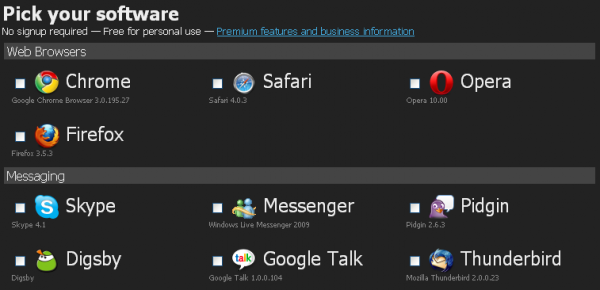
- You can have 12 categories which as follows
- Web Browsers
- Messaging
- Media
- Imaging
- Documents
- AntiVirus
- Runtimes
- FileSharing
- Other
- Utilities
- Compression
- Developer tools
- And all the software’s shown there are free!
How to get and use Ninite?
Using Ninite is very easy and everyone will be given a special installation so that the software’s which you don’t like will not be installed.
- First head to Ninite’s website and Pick your software’s
- Now click on

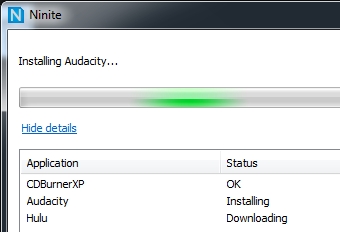
- ‘Save’ and run the installer! Enjoy!
I hope you like it! and I want it to hear it from you so do comment. 😛
[Editors Note: This post is by Kranthi. He blogs on Devils Workshop only about blogging and website optimizationtips. You can follow Kranthi on Twitter.
If you too like to write for Devils Workshop, please check this. Details about our revenue sharing programs are here.]

4 Comments
I don’t think this will create buzz in internet world. From security point of you, i think it got many loop holes. Not talking too technical, but if it will just happen with one click and no next next, then virus spy wares may install them without knowing of users.
@Anirudh
Yaa it is possible but it have nice reputation over internet and it is blogged ar howtogeek, simplehelp, lifehacker etc which are very much reputable blogs 😛
saves time.
But I’m using win 7 for a year now beta, rc1, rtm, and now final. woops.. if it would have come earlier, it would have saved time 😀