Gmail has introduced a new feature to make you email experience a little better (click here to read all Gmail related posts). Though many such new features often are not that interesting, this one helps you merge all duplicate contacts.
Ideally when someone sends you an email or you send an email, their email is added automatically into your contact list for Gmail. If you have friends who have two or even three email addresses they often are all stored.
Now with a click of a button such similar addresses can be merged.
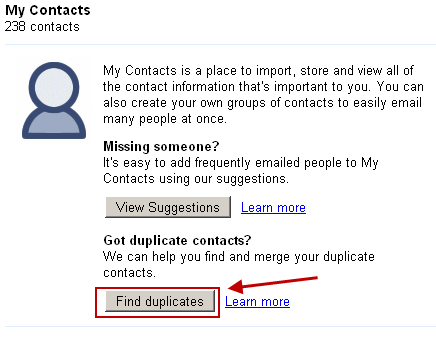
First click on Contacts when you are on Gmail and you will get the option to Find duplicates as shown in image below.
A few moments later Gmail gives you a list of duplicate contacts. A simple click on Merge of the selected duplicate contacts will merge you duplicate contacts into single ones and help you organize the contact list better.
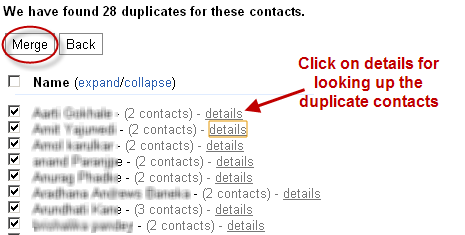
This is a great way to trim up on those annoying duplicate contacts and merge them. Just a note of caution in case you have two people with similar names in your contact list. In that case do look through the email addresses that would be merged.
3 Comments
This is really a nice trick, i am going to try it out straightaway, thanks for sharing it.
Managing contacts in Gmail was always tough for me.. This new feature is very useful and no doubt its helping a lot in managing contacts.
Wow!nice trick and very helpful. I’m using I’ve been using this Mac outlook and encountered lot of problems. Outlook does not sync all of my contacts and calendars with iCal. This deal breaker for me. My Gmail contacts were duplicated when I have it synced.I have hundreds even thousand of contacts duplicated. But still I’m very thankful, I have found Scrubly. I truly appreciate an accurate address book each time I go to look up a contact.I have read also their blog on How to sync properly for Mac. Hope this will also help who will encounter the same problem