Loading speed of a website can be very vital to the visitor experience. Many of you might have observed that Google analytics code can slow your website down. Basically the problem is, your browser waits for the tracking code to be downloaded and then starts loading your website. This can slow down your website drastically. With this new Google analytic Asynchronous code you can stop this delay.
Follow these easy steps to tweak your blog analytic code :
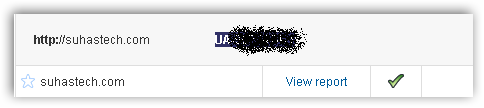
1) Open your Google Analytics Account. Scroll to the website you want to analyse. You can find an account number of the form UA-XXXXX-X.
2) Insert this code, after the <body> tag. Make sure you replace UA-XXXXX-X.
<script type="text/javascript">

  var _gaq = _gaq || [];  _gaq.push(['_setAccount', 'UA-XXXXX-X']);  _gaq.push(['_trackPageview']);

  (function() {    var ga = document.createElement('script'); ga.type = 'text/javascript'; ga.async = true;    ga.src = ('https:' == document.location.protocol ? 'https://ssl' : 'http://www') + '.google-analytics.com/ga.js';    (document.getElementsByTagName('head')[0] || document.getElementsByTagName('body')[0]).appendChild(ga);  })();

</script>
Meanwhile do let us know tweaks you use to speed up your blog?
2 Comments
Most of the blogs out there are on wordpress. And wordpress plugins for inserting Google Analytic code insert it at the end of every page, on the first hand. Although, the trick is useful for static website owners IMO
True…This is a boon for Blogspot users like me…