I often use Firefox browser for following the news. One problem with a website dedicated to news is that not all of them refresh automatically.
There is a Firefox addon which refreshes the page automatically can be downloaded from the Firefox Addon page.
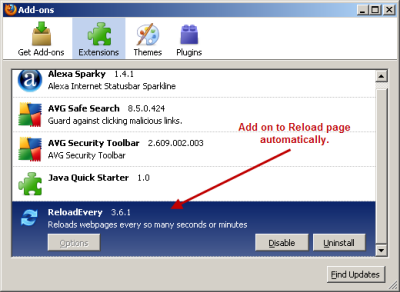
- Once the Firefox addon is installed make sure it is enabled (see image above).
- The go to the website you want to reload automatically.
- Now right click on the page and a menu pop up. Here a new option is included which is Reload Every.
- Move the mouse over Reload Every and it allow you to go ahead and select the exact amount of time you want the page to be reloaded.
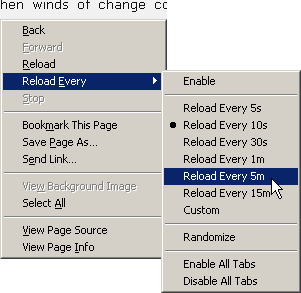
As you can see in the image above it allowed me to set the reload time from every 5 seconds to up to 15 minutes. Hope you like this Firefox Addon and let me know if you know about any similar ones. 😉
2 Comments
yup, thanks. Wud also be helpful for facebook, twitter etc.
Good for slow loading websites.